
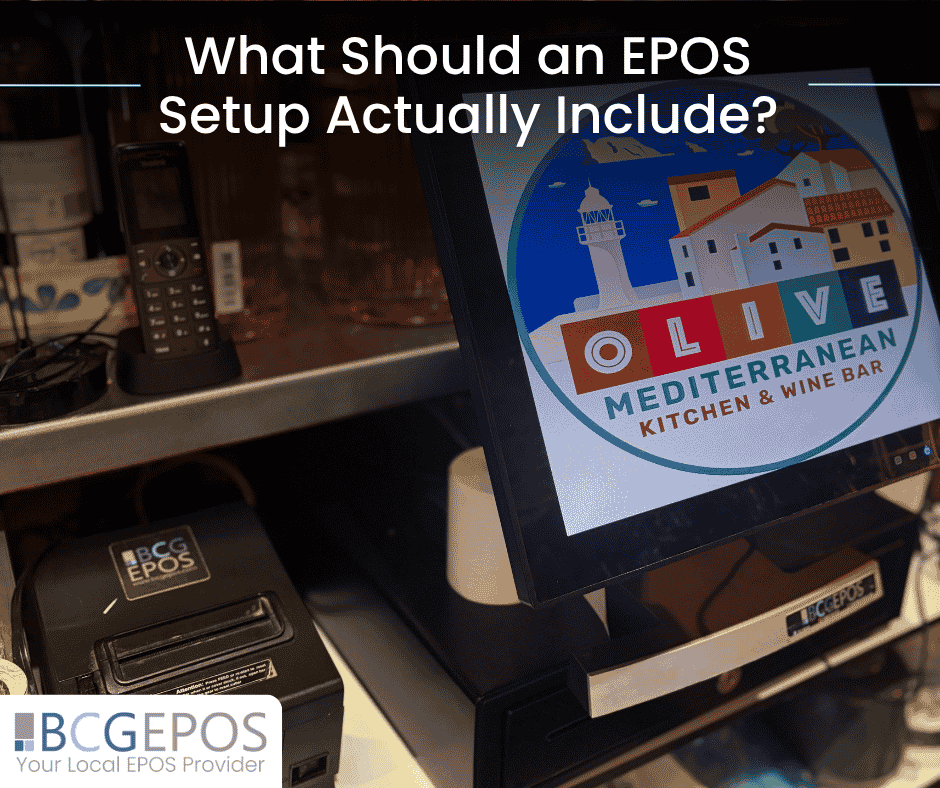
An EPOS setup should be more than a till on a counter. For hospitality and retail businesses, the right setup needs to support orders, payments, receipts, reporting, staff workflows and day to day service. It should be practical, reliable and configured around the way the business actually operates.
A basic till may be enough for some small businesses, but most modern venues need a more connected system. Restaurants, bars, cafés, takeaways, hotels, clubs and retail stores all have different requirements, which means the right EPOS setup will vary from one business to another.
What matters is not just the hardware itself. It is how that hardware is installed, configured and connected with the wider system.
EPOS Setup Starts with the Right Touchscreen Terminal
The touchscreen terminal is usually the centre of the EPOS setup. This is where staff enter orders, process sales, access products, manage tables and complete key day to day tasks.
A good touchscreen EPOS terminal should be fast, reliable and simple for staff to use. In a busy hospitality or retail environment, the interface needs to support quick navigation and clear product selection. If staff have to work through confusing screens or slow menus, service can quickly become less efficient.
For hospitality businesses, the terminal may need to support table layouts, bar tabs, modifiers, split bills and kitchen communication. For retail businesses, it may need to support product categories, barcode scanning, discounts, returns and stock control.
The terminal is important, but it should not be seen in isolation. It needs to work as part of a complete EPOS hardware and software setup.
EPOS Hardware Including Cash Drawers, Printers and Payment Terminals
A full EPOS hardware setup often includes more than the main touchscreen till.
Cash drawers remain important for businesses that still accept cash payments. Receipt printers are essential for customer receipts, order tickets or internal records. Payment terminals are critical for card and contactless transactions, especially in fast moving hospitality and retail environments.
Depending on the business, additional hardware may also be needed. This could include barcode scanners, customer display screens, kitchen printers, kitchen display system hardware, handheld ordering devices or mobile payment devices.
The key is choosing hardware that fits the way the business trades. A café may need a compact till, receipt printer and integrated card terminal. A restaurant may need terminals, handheld ordering and kitchen displays. A retail store may need scanners, cash drawers and stock management tools.
A proper EPOS setup should be practical rather than excessive. The goal is to provide the tools the business actually needs.
EPOS Installation and Configuration Matter as Much as the Equipment
The best hardware will not deliver value if it is not configured properly.
EPOS setup is not simply about placing equipment on a counter and switching it on. Products, menus, prices, departments, staff permissions, floor plans, payment settings and reporting structures all need to be built correctly.
For hospitality venues, this may include configuring table layouts, menu modifiers, kitchen routing and order types. For retail businesses, it may involve product categories, barcode scanning, promotions and stock controls.
This configuration stage is what turns hardware into a working system. If it is rushed or generic, staff may end up working around the system rather than using it confidently.
At BCG EPOS, setup and configuration are treated as a key part of the process. The system should be shaped around the business, not the other way around.
ICRTouch Software and TouchPoint EPOS for Daily Operations
Software is what brings the EPOS setup to life.
ICRTouch software, including TouchPoint EPOS, is designed to support hospitality and retail operations with practical functionality for sales, ordering, reporting and management. When installed and configured properly, it helps businesses manage daily service more efficiently.
For restaurants and bars, the software can support table service, bar tabs, modifiers, staff permissions and kitchen communication. For cafés and takeaways, it can support quick order entry, payment handling and product management. For retail businesses, it can support product sales, stock visibility and reporting.
The important point is that EPOS software should match the operational needs of the business. A system that is too limited can restrict service, while a system that is poorly configured can create unnecessary complexity.
You can learn more about ICRTouch software here:
https://bcgepos.com/icrtouch-software/
Connecting EPOS Hardware with Handheld Ordering and Kitchen Display Systems
A modern EPOS setup often needs to extend beyond the fixed till.
Handheld ordering can allow staff to take orders at the table, in beer gardens, across outdoor spaces or away from the main counter. This can reduce unnecessary trips to the till and help orders reach the kitchen more quickly.
Kitchen display systems can also play an important role in food-led venues. Instead of relying only on printed tickets or verbal communication, orders can be sent directly to kitchen screens, helping teams manage preparation more clearly.
When handheld devices, tills and kitchen displays are connected, the whole service flow becomes more efficient. Orders move from customer to kitchen with less delay, staff have clearer information and managers get better visibility over what is happening.
This kind of connected EPOS setup is especially useful for restaurants, pubs, cafés, hotels, takeaways and venues with high order volumes.
EPOS Back Office Tools, Reservations and Reporting
An EPOS setup should also support management, not just front of house service.
Back office tools allow operators to review sales, manage products, update pricing, monitor performance and access reporting. For businesses with multiple service areas or sites, this visibility becomes even more important.
TouchOffice Web, for example, can support real time and historical reporting, stock, staff, pricing and programming controls. Reservation tools can also help hospitality businesses manage bookings more effectively, while integrated reporting gives owners and managers clearer insight into how the business is performing.
Good reporting saves time because managers do not have to piece together information manually. It also supports better decision making around staffing, stock, menus, pricing and trading patterns.
An effective EPOS setup should give the business visibility, not just transaction processing.
EPOS Hardware for Hospitality and Retail Businesses
Different businesses need different hardware combinations.
A restaurant EPOS setup may include touchscreen terminals, handheld ordering devices, integrated payment terminals and kitchen display systems. A bar may need fast tills, cash drawers, payment integration and stock reporting. A café may need a compact counter setup with quick payment processing and receipt printing. A retail business may need scanners, product management and stock visibility.
This is why EPOS hardware should be chosen around the business model.
A one size fits all approach rarely works well. The system needs to reflect how staff serve customers, how payments are taken, how orders are processed and how managers need to review performance.
For businesses across hospitality and retail, the most effective setup is one that feels natural to use day to day.
You can explore EPOS hardware options here:
https://bcgepos.com/epos-hardware/
Local EPOS Setup, Training and Support from BCG EPOS
A strong EPOS setup does not end at installation.
Staff need training so they can use the system confidently. Managers need to understand reporting and back office tools. Businesses may need ongoing support as products, prices, staff and service models change.
This is where working with the right EPOS provider matters.
At BCG EPOS, the focus is on supplying, installing, configuring and supporting systems around the way each business operates. That includes helping clients choose the right hardware, setting up the software properly and providing support beyond the initial installation.
For businesses across hospitality and retail, this hands-on approach helps ensure the system is practical from day one and continues to support the business over time.
Choosing the Right EPOS Setup for Your Business
A proper EPOS setup should include the right mix of hardware, software, configuration and support.
For some businesses, that may mean a simple touchscreen terminal, cash drawer, receipt printer and payment terminal. For others, it may include handheld ordering, kitchen display systems, reservation tools, back office reporting and integrated payments.
The most important question is not what equipment is available. It is what the business actually needs to operate efficiently.
If your current system feels limited, disconnected or difficult to manage, it may be time to review your setup and consider whether it still supports the way your business works.
To learn more about EPOS systems, hardware and support for hospitality and retail businesses, visit:
Useful pages:
EPOS Hardware:
https://bcgepos.com/epos-hardware/
ICRTouch Software:
https://bcgepos.com/icrtouch-software/
Or speak to the BCG EPOS team on 01803 313 222.